
Create Accessible URLs in Word and Google Docs
Use the following resources to learn how to create accessible URLs.
- Word: Video: Create Accessible Links in Word (Microsoft Support website)
- Google Docs: Using Links (Google Support website; also includes information on bookmarks)
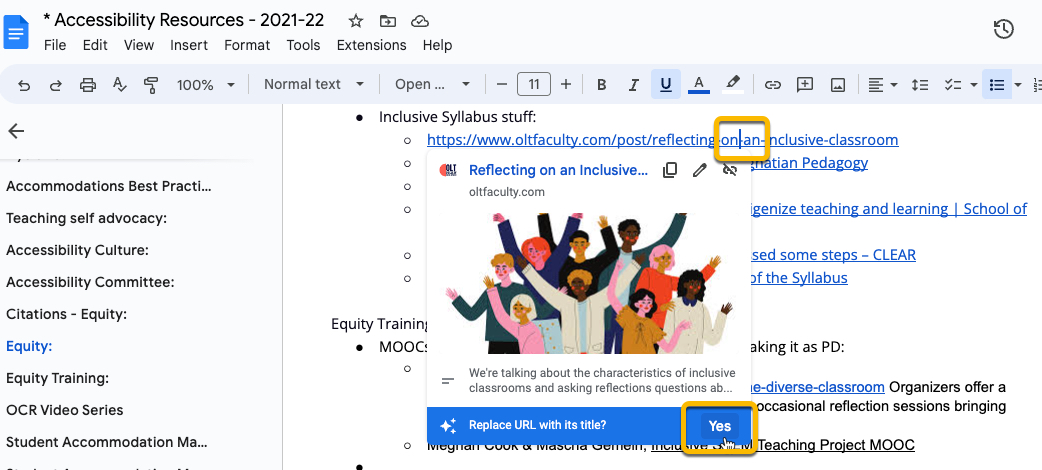
Fun hint: In Google Docs, if you copy and paste a link into your document, you can click inside the URL, and Google Docs will show a pop up that asks you if you want to replace your link with the URL's title:
Background Colour
Font Face
Font Kerning
Font Size
Image Visibility
Letter Spacing
Line Height
Link Highlight
Text Colour